All apps Planvestor

Planvestor
In development · Android
See your real profit before you buy more.
Planvestor keeps every buy as its own lot and matches sales oldest first (FIFO), the way profit is actually counted. Try a buy or a sell before you place it, and see what it does to your average and your profit.
- No account
- Portfolio stays on your phone
- Backup file anytime
How it works
From guesswork to the real number.
- 1
Add your buys
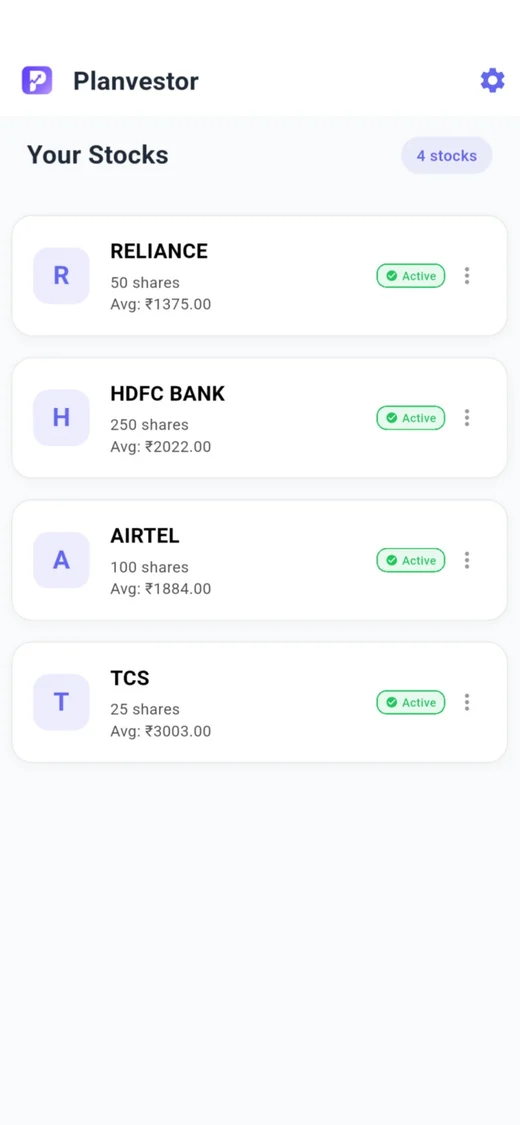
Enter each purchase with its price and quantity. Each one is kept as a separate lot.
- 2
Try a move
Simulate buying more or selling part, and see the new average and profit before you act.
- 3
See every lot
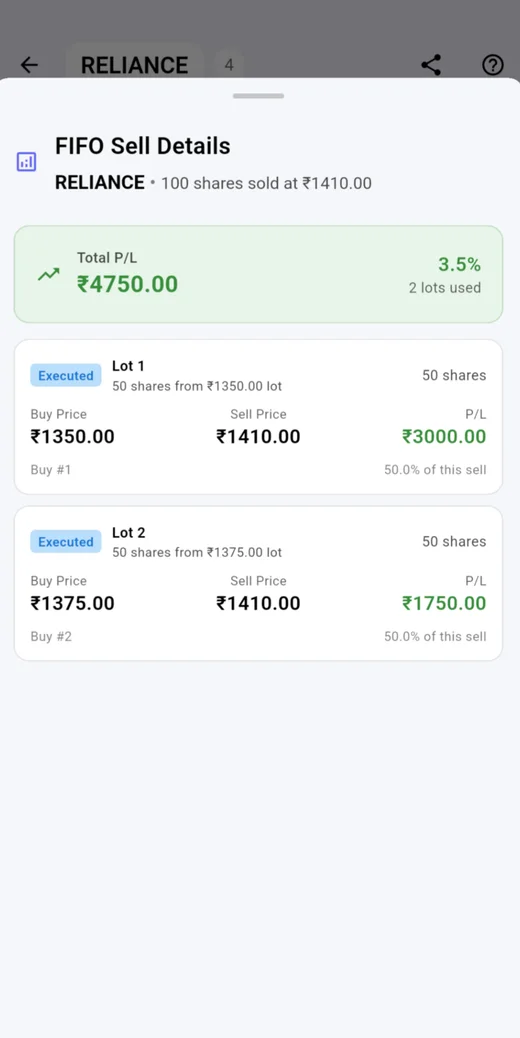
Each sell shows which lots it used and what each one made, so there are no surprises.
Why FIFO matters
The simple average can show a profit when you are actually selling at a loss.
You bought 10 shares at ₹100, then 10 more at ₹80. Your average is ₹90. Now you sell 10 at ₹95.
A simple average says
+₹50
10 × (₹95 − ₹90 average)
FIFO says
−₹50
The first 10 shares out are the ₹100 lot
Features
Built for averaging down and partial exits.
Lot by lot
Every buy is its own lot, so you always know which shares you are selling.
Buy and sell simulator
Test a move before you place it. Save simulations to compare later.
FIFO or weighted average
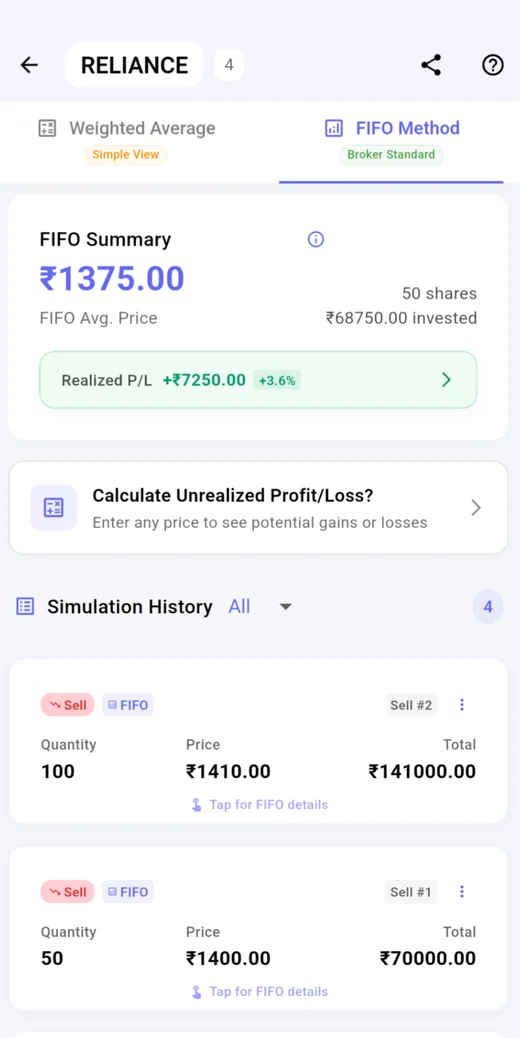
Switch views to compare the broker-style FIFO number with the simple average.
Realized and unrealized
See what you have actually made, and what you would make at any price you enter.
P/L breakdown
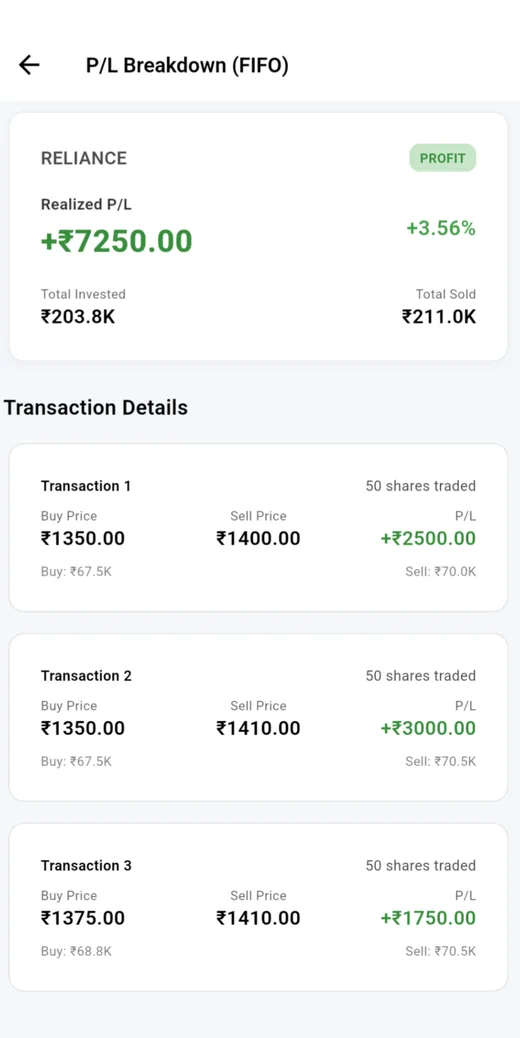
Every trade, every lot, with buy price, sell price and profit side by side.
Export and restore
Save your whole portfolio as a backup file, and restore it on a new phone.
A look inside
Screens from the current design. The final app may change a little.
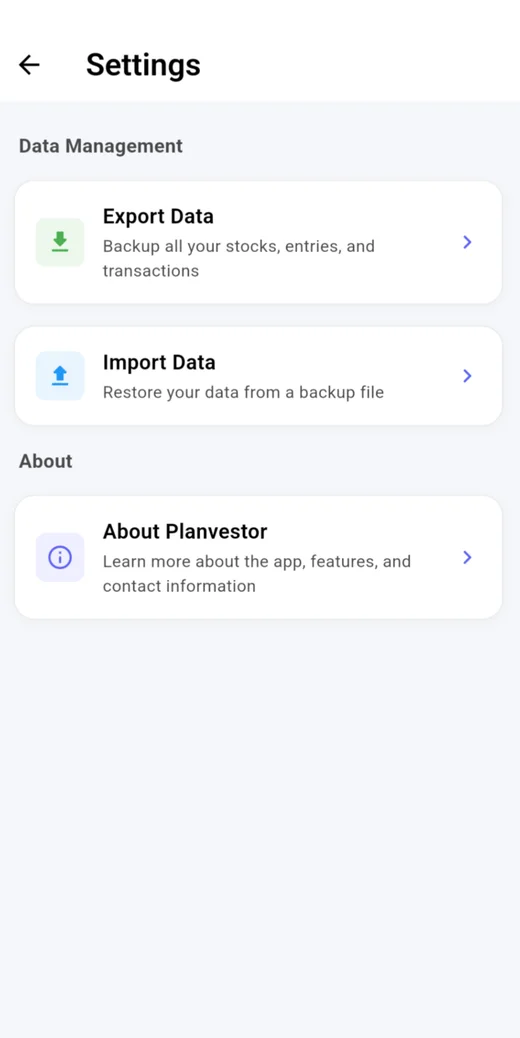
Privacy and backup
Your portfolio stays on your phone.
No account
No sign-up and no broker login. You enter your own buys and sells.
No Planvestor server
Your stocks and simulations are stored only on your phone.
Ads, kept separate
The free app shows ads from Google AdMob. Your portfolio is never shared with it.
Backup is a file you own
Export your data and keep it wherever you like.
No account doesn’t mean no backup. Export a backup file from Settings, and import it on any phone to get everything back.
Made for
Retail investors averaging down or planning a partial exit.
Questions
Does it connect to my broker?
No. You add your buys and sells yourself. Planvestor never asks for broker or bank logins.
Is it investment advice?
No. Planvestor is a calculator. It shows the numbers; the decision is yours.
Is it free?
Yes. The free app shows ads.
How do I move to a new phone?
Export a backup file from Settings, then import it on the new phone.
When can I use it?
It is in development now. When it reaches Google Play, a download button will appear right here on this page.