All apps Wimoney
Wimoney
In development · Android
Stop typing expenses. Just confirm them.
Your bank already texts you every time you spend. Wimoney turns those messages into your money record, and you approve each one with a tap. Then it shows what you can really spend, after your planned and recurring expenses are set aside.
- No account
- Data stays on your phone
- Google Drive or file backup
How it works
No more typing. A few seconds per expense.
- 1
You spend as usual
Pay by UPI, card or net banking. Your bank sends its usual alert.
- 2
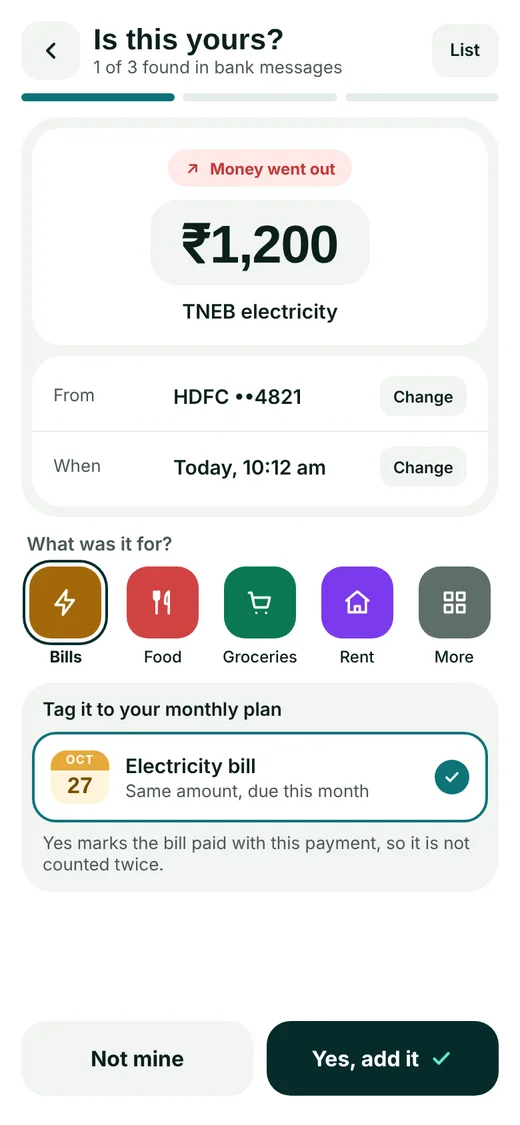
Wimoney picks it up
It reads the amount, account and merchant from the alert. OTPs and personal messages are skipped and never stored.
- 3
You say yes
One tap and it is recorded, with the category already filled in. If a bill was due, it is marked paid too. Nothing is saved without you.
The number that matters
Your bank shows what you have. Wimoney shows what you can spend.
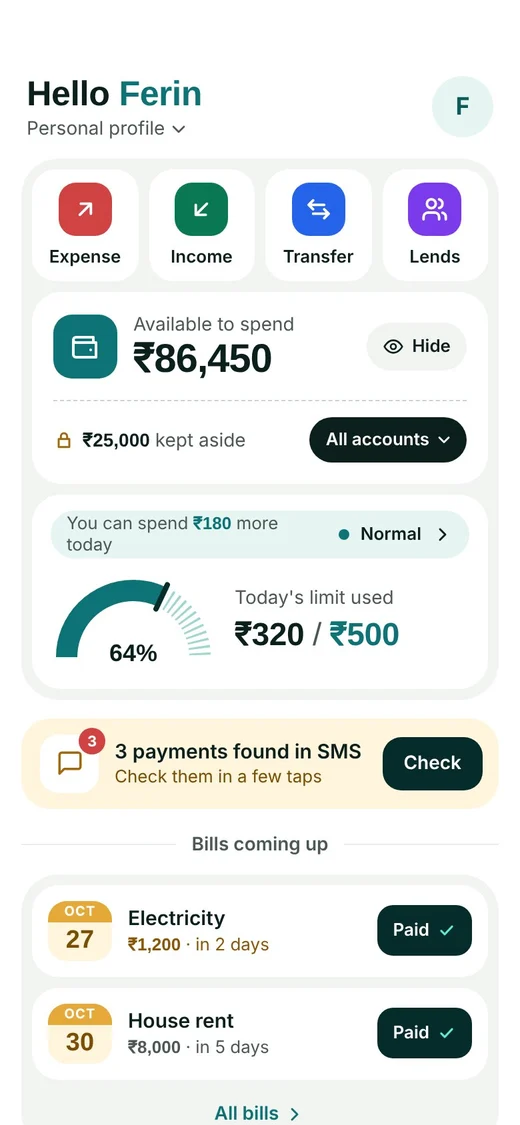
Rent, bills, EMIs and subscriptions are already spoken for. Wimoney keeps them aside, so the big number on your home screen is money you can actually use.
In your accounts
₹1,11,450
Kept aside for planned and recurring expenses
₹25,000
Safe to spend
₹86,450
Features
The everyday money stuff most apps skip.
Money you lent
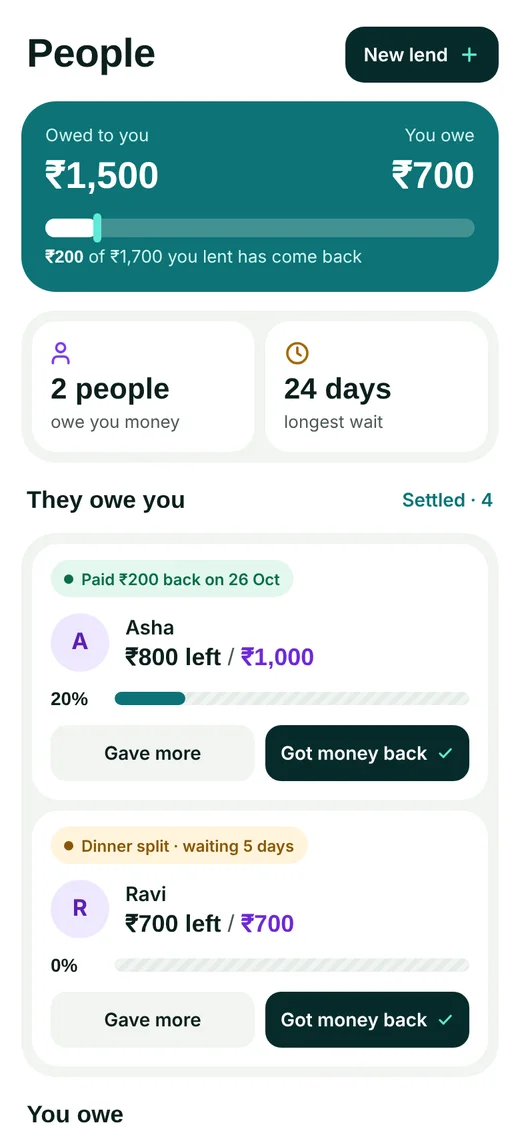
See who owes you, who you owe, part repayments and how long you have been waiting.
Split bills
Split a dinner or a trip, and each friend’s share shows up as money they owe you.
A daily limit
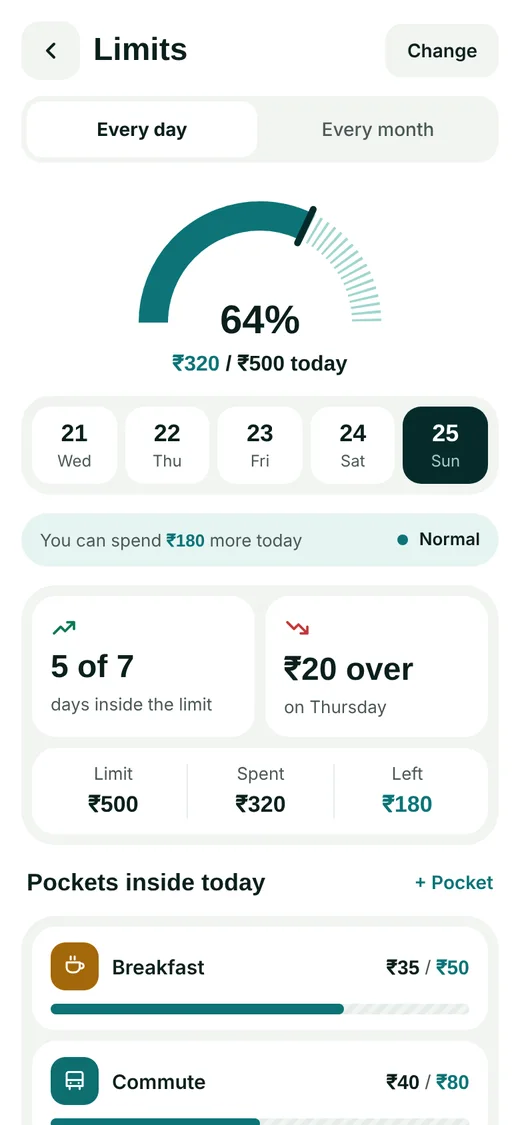
Set a limit for the day or the month, with pockets for breakfast, commute and the rest.
Bills and repeating costs
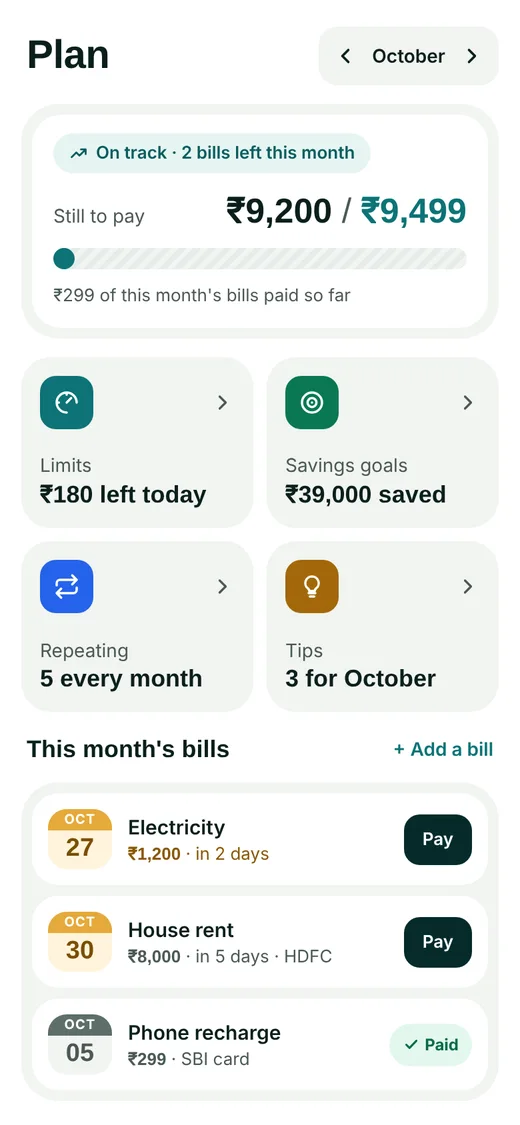
Rent, electricity and recharges in one list. A bill paid from a bank alert is never counted twice.
Savings goals
Put money aside for a trip or a new phone, and watch each goal fill up.
Learns as you go
Confirm a shop once and Wimoney remembers its category and account for next time.
A look inside
Screens from the current design. The final app may change a little.
Privacy and backup
Your money data stays on your phone.
No account
No sign-up, no email, no password. Open the app and start.
No Wimoney server
Your records never leave your phone. No analytics, no crash reports, no tracking.
Only bank alerts
OTPs, personal chats and promotions are filtered out and never stored.
Nothing without your yes
A message only becomes a transaction after you confirm it.
No account doesn’t mean no backup. Turn on backup to your own Google Drive, or save a backup file, and restore everything on a new phone.
Made for
People who gave up on expense apps because logging every rupee by hand felt like a chore.
Questions
Does Wimoney connect to my bank account?
No. It never logs in to your bank or asks for bank passwords. It only reads the alerts your bank already sends to your phone, with your permission.
Can I add expenses by hand?
Yes. Cash spends, or anything your bank does not alert you about, can be added in a few taps.
What happens if I change phones?
Turn on Google Drive backup or save a backup file. On the new phone, restore it and everything is back.
Is it on iPhone?
Wimoney is Android first. Join the list to hear if that changes.
When can I use it?
It is in development now. When it reaches Google Play, a download button will appear right here on this page.