All apps Wimploy
Wimploy
In development · Android
Attendance and leave, without the HR system.
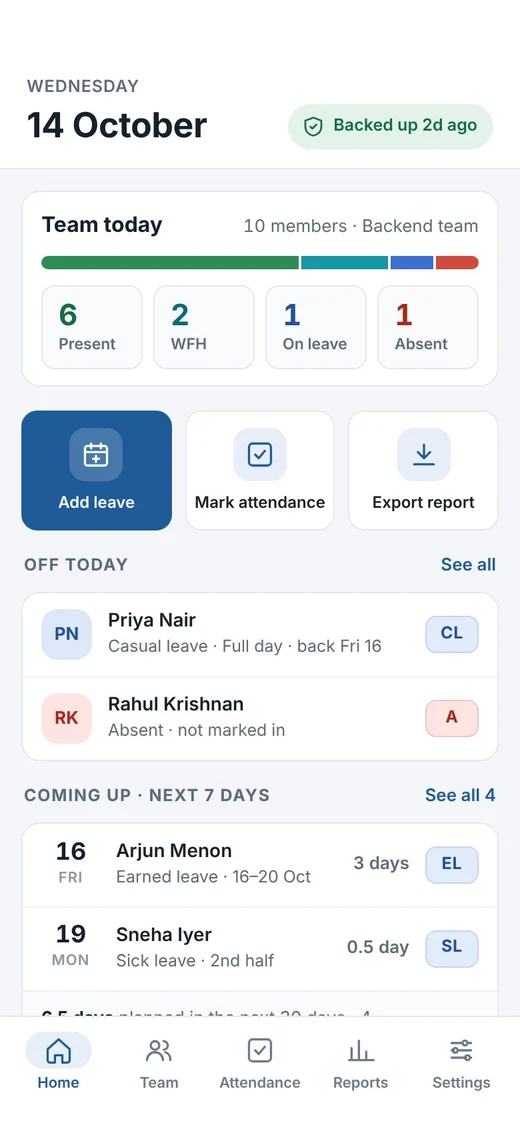
Wimploy is a register you keep on your own phone. Mark the day in seconds, count leave your company’s way, and send HR an Excel report they will accept. Your staff never install anything.
- No sign-up, no staff logins
- Works offline
- Your own Google Drive backup
How it works
A register that takes seconds a day.
- 1
Set up your register
Add your team, shop staff or household help. Choose week offs, holidays and leave types once.
- 2
Mark only the exceptions
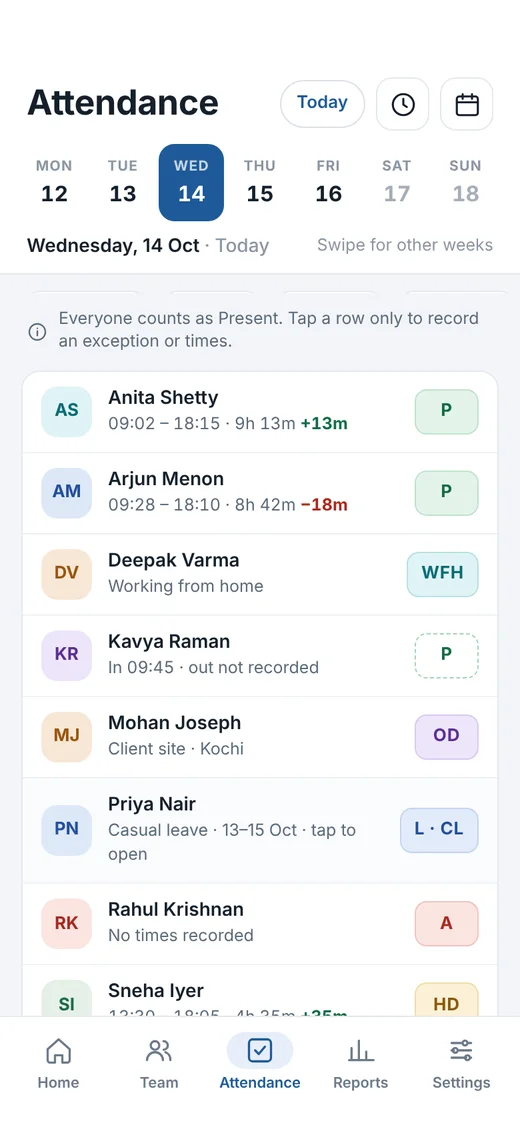
Everyone counts as present. Tap a person only to record leave, a half day, work from home or times.
- 3
Send the report
Monthly attendance and leave balances as an Excel file, ready for HR or payroll.
One app, three kinds of register
Built for the people big HR software forgets.
Keep separate registers in one app, each with its own week offs, holidays and leave rules.
Office
Team leads
Keeping a side Excel next to the company HRMS.
Shop
Small businesses
Shops, clinics, salons and small offices with a handful of staff.
Home
Households
Tracking days for a maid, cook, driver or nanny.
Features
Everything the side Excel was doing, done properly.
Leave counted your way
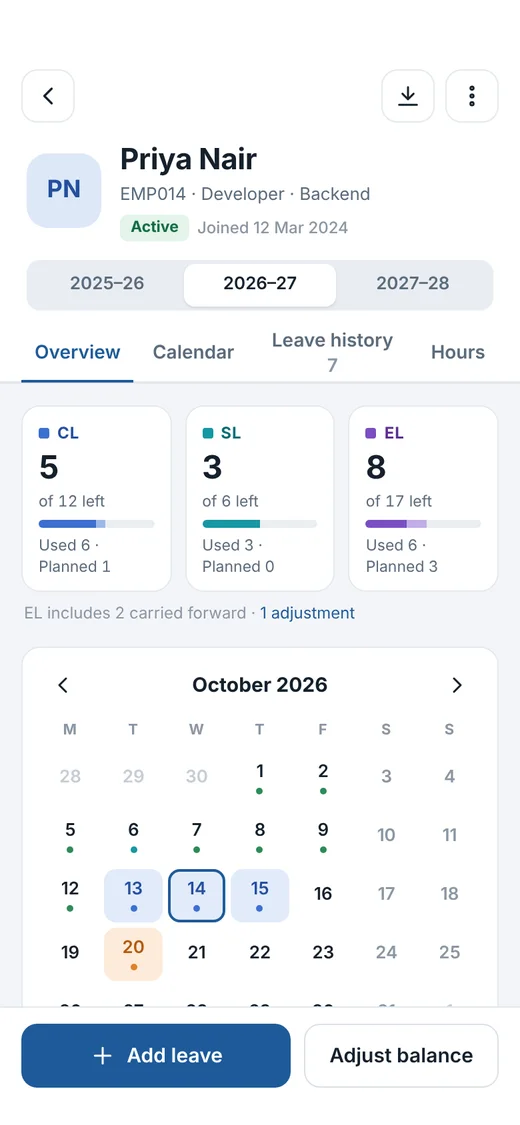
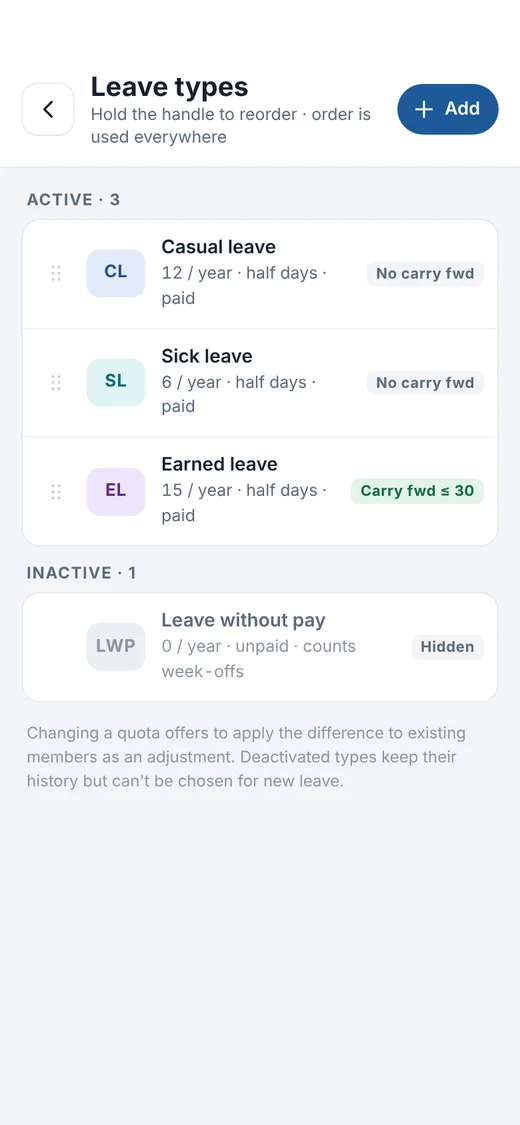
Leave types with yearly limits, half days and carry forward, set up the way your company counts them.
Holidays and week offs
Add them once, and every count and report leaves them out.
Excel reports HR accepts
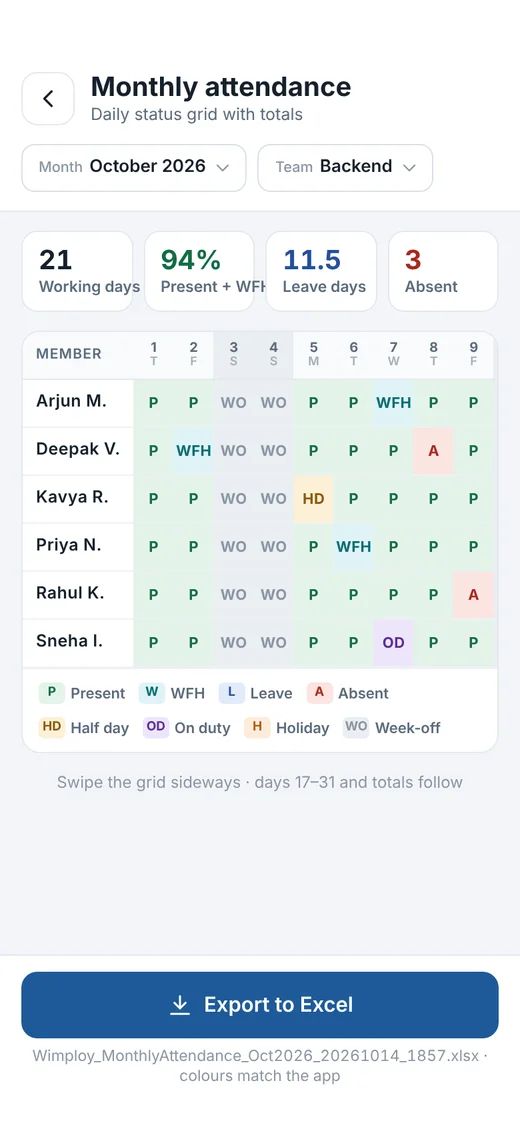
Monthly grids, leave balances and upcoming leave, previewed in the app and exported to Excel.
More than one register
Keep your office team and your home staff apart, in one app.
App lock
Lock Wimploy with your fingerprint or screen lock, so the register stays private.
Works offline
Everything except purchases and backup works without a connection.
A look inside
Screens from the current design. The final app may change a little.
Privacy and backup
Your team’s records stay with you.
No Wimploy account
No sign-up, and your staff never get a login or install anything.
No Wimploy server
Records live on your phone. No ads, no analytics, no tracking.
Internet only when needed
Used only for Google Play purchases and, when you choose, backup to your own Google Drive.
You decide who sees reports
Reports are files you share yourself, with the app you pick.
No account doesn’t mean no backup. Back up to your own Google Drive, and restore every register on a new phone.
Made for
Team leads keeping a side Excel, small shops and offices, and homes tracking a maid or driver.
Questions
Do my staff need to install the app?
No. One person keeps the register on their phone. Staff never need the app or a login.
Does it need internet?
No. Everything works offline. The internet is used only for Google Play purchases and Google Drive backup.
Is it free?
You can start for free. A Pro plan adds more, like automatic daily backup.
What happens if I change phones?
Back up to your Google Drive, then restore on the new phone. Every register comes back.
When can I use it?
It is in development now. When it reaches Google Play, a download button will appear right here on this page.